


Local DB folder
Plans in a folder on this computer, as plain text. Not one network request — there never was, and in this mode there still is not.
Project plans that need no permission
No server, no account, no subscription. What you plan sits on your machine or in your Dropbox — you email it, you open it two years from now, and it is still yours.
This is the desktop edition — for iPhone, iPad and Android™:

Plain text
A Gantora plan is a plain table of rows — one line per task. Hand the file to any assistant and paste the answer back in. Nothing to integrate, no API key, no account: the format is published, so the assistant already knows how to read and write it.
It is also why the file outlives the program. A text file opens in anything, forever.
The whole dependency list
Where it lives
Point Gantora at a folder and it works offline, touching nothing else. Point it at Dropbox and the same plans follow you — phone, tablet, desktop, the same file. Your files stay in your own account either way.
Plans in a folder on this computer, as plain text. Not one network request — there never was, and in this mode there still is not.
The same plans in a Dropbox folder you can share with others. You connect by pasting a code — no token is stored on this machine — every save goes straight to Dropbox, and when two of you would write the same plan, the conflict screen decides, not chance.
How the Dropbox connection worksWhat it shows you
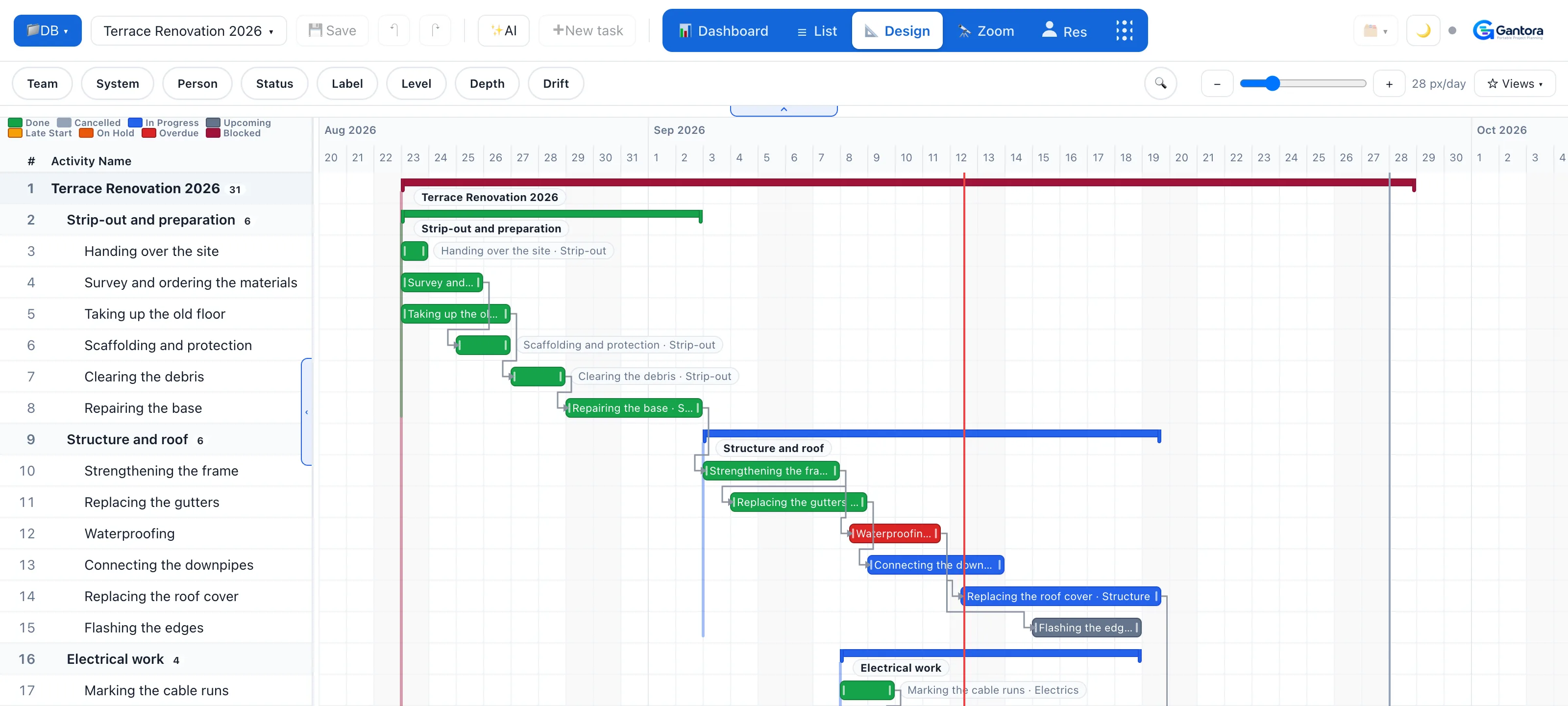
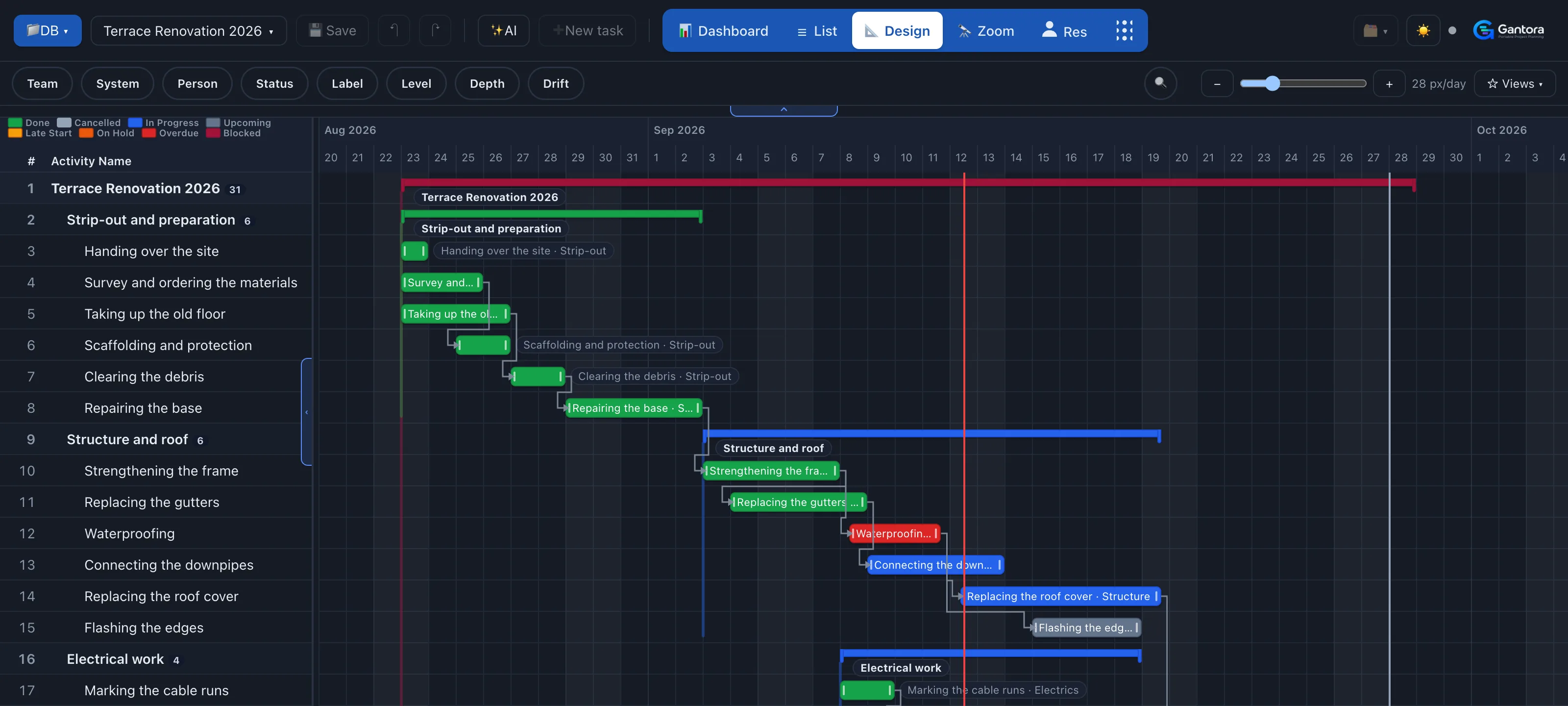
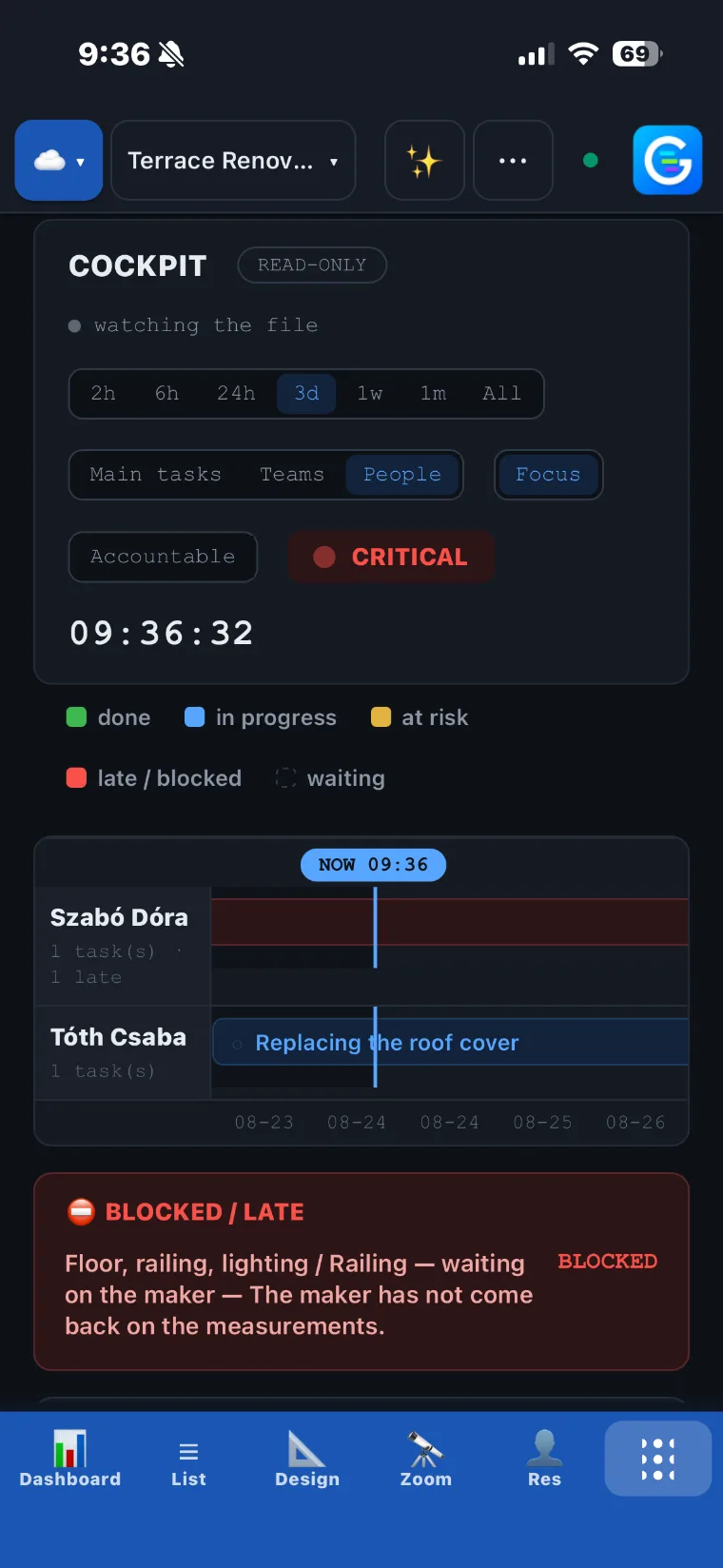
Ten views over one plan, five of them free. A Gantt you edit by dragging, a list you type in, months down to hours on a single slider, and one screen that answers who is carrying what this week.
Switch to Live to use the real app right here — it works, it is not a picture.
What it shows you
Not just when. For how much. Two more columns at the end of the plan — budget and spend — and groups add up what is under them, recomputing when you rearrange the plan. And the Budget report says out loud what you used to read off a curve yourself: the day the budget runs out, at the rate you are spending now.
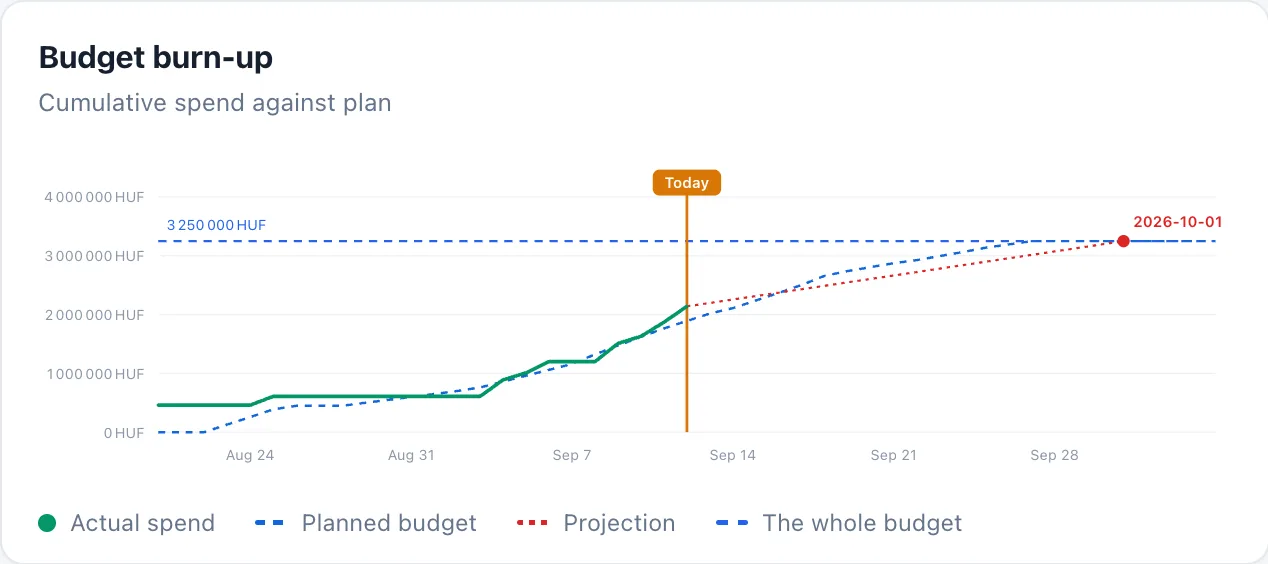
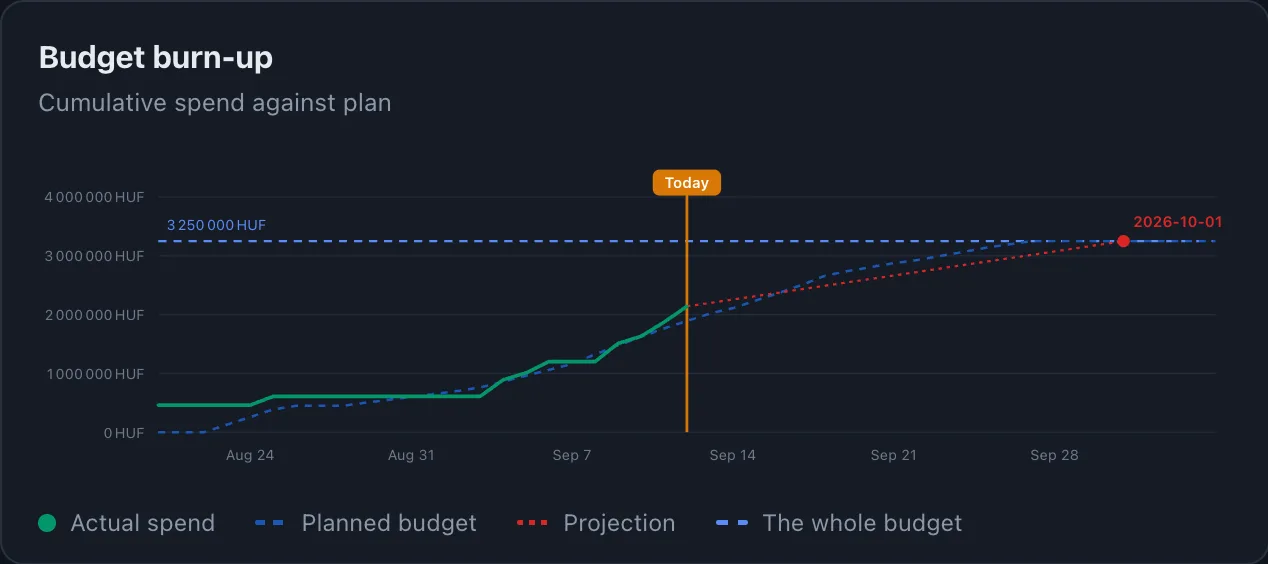
The same two columns, the same report. Only the question you ask it is different.
The two columns and the Dashboard card are part of Free. The filterable, zoomable Budget report is Pro.
This is the real application, 2.1 MB. Nothing loads until you press it.
No subscription. No account with us. Your plans are your files — and one plan with five views is free for anyone, forever.
Anyone, forever. Personal projects and work alike; the limits are the same.
€0 now and later — commercial use included.
Download FreeFor teams and companies running more than one plan: Pro.
Everything, for everyone. The same Pro for individuals and companies — for people who live in projects.
€9.99 one-time · introductory price
Prices include any tax due; the exact amount is shown at checkout, for your country.
One purchase = one person, on that one platform, on as many of your own devices as you have.
Three platforms, three separate purchases: iPhone/iPad, Android, and the desktop. None unlocks another.
Buy Pro for desktopThe desktop licence is on sale now. The two mobile stores open later — those are separate purchases.
Need several seats? Set the quantity at checkout; invoice with company name and VAT number.
Free is not bait: what you type stays yours — import, export, shareable pages and read-only mode are all in Free too. We don’t lock the data away; we open up the size.
| Desktop | iPhone and iPad | Android | |
|---|---|---|---|
| Where from | gantora.net | App Store | Google Play |
| Free | five views, one plan | five views, one plan | five views, one plan |
| Pro | a licence key, by e-mail | a one-time purchase in the app | a one-time purchase in the app |
| What it opens | five more views + unlimited plans | the same | the same |
Each purchase covers the edition you bought it for. This is not a restriction we invented: Apple and Google each sell the app in their own store, and they do not share purchases with each other or with us.
Yes, with Pro. Combined view reads several plan files side by side, in every view — read-only, so the original files stay untouched. The free edition opens one plan at a time.
Yes — one after another. In Gantora a plan has one owner: the project manager or the team lead. They keep the plan; everyone else reads it — from a shareable read-only page, or by opening the file itself. The work happens the way it does in the room: you sit down, walk through next week, and the changes go in through one pair of hands. If everyone keeps their own plan, Combined view shows them all together.
What Gantora deliberately does not do is live co-editing — and it never merges behind your back. If two people write the same file in a shared folder in the same minute, you get two copies, and that is not a dead end: merging is exactly what it is for. Gantora lines the two copies up row by row, matched on each row's permanent identifier; you decide, row by row, which version stays; and nothing is written until you say so. Anything you deleted stays deleted. So several of you can work on the same plan — merging is simply a decision, not a background process. On many plans that is the safeguard: thirty teams should not be able to change a 700-step cutover schedule unnoticed. If what you need is many people typing at once and seeing each other's changes live, Gantora is not that tool.
Yes. The AI button hands your plan to the assistant you already use — we run no model of our own and send nothing anywhere by ourselves. Ask it to draft a new plan or rework an existing one, and paste the result back into the file.
Yes — a single one-time purchase. Five views and one plan stay free, forever. Gantora Pro opens five more views and lifts the one-plan limit. No subscription, nothing to renew. The price is on the pricing page.
One person and an AI. 9 weeks · 30+ releases · 1727 automated checks.